The Sandbox Rule: Trying New Design Software Without Betting a Client Deadline

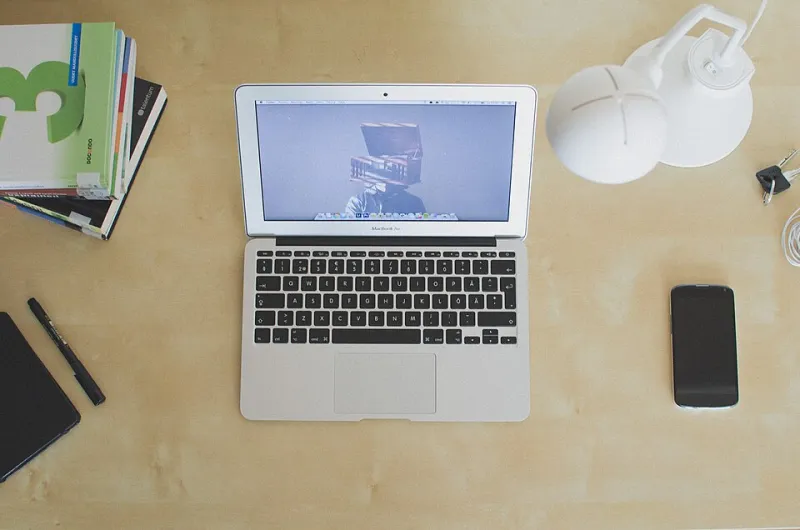
Photo: freelance designer testing new software on laptop at desk with coffee and notebook, via blog.calarts.edu
You're three days from a client deadline. A newsletter lands in your inbox: the design tool you've been eyeing has a free trial, and it promises to slash your production time. Tempting, right? But the last thing you need is to discover a watermarked export or a per-seat billing surprise when you're already up against it. The trial version trap is real, and it's not about the software being bad — it's about the risk of letting an unfinished feature land on a client's desk.
The principle: know how you'd leave before you start
A trial is only worth running if you already know how you would walk away. That sounds pessimistic, but it's just good risk management. Before you double-click that download button, ask yourself: if this tool turned out to be a dud, how would I get my work out, cancel the billing, and move on without losing a day? If you can't answer that in under two minutes, you're not ready to test it mid-project.
The answer is a sandbox. Not a theoretical one — a real, duplicated job that sits outside your live workflow. Here's how to build one.
Step 1: Duplicate a finished job, not a live one
Pick a project you've already delivered and signed off. Ideally something small: a single social post, a logo lockup, a two-page PDF. Copy the source files into a new folder. If the job involved client assets, either get permission to use them for internal testing or swap them for placeholder content. The goal is to give the new tool something realistic to chew on without putting an active deadline at risk.
This step also gives you a baseline. You know what the finished output should look like, so you can judge whether the trial version's export is faithful or a pale imitation.
Step 2: Rebuild one small component
Don't try to recreate the entire project in the new tool. That's a recipe for frustration and wasted hours. Instead, rebuild a single component — the kind of thing you do every week. A button, a text block, a simple icon set. Time-box it to 45 minutes. The point is to feel the tool's core workflow: how it handles layers, text, alignment, colour management. Does it fight you on the basics? If it can't handle a straightforward text box without a fight, it's not going to survive a complex layout.
Step 3: Test the export path
This is where trials often show their true colours. Export your component in every format you'd normally deliver: PDF, PNG, SVG, maybe a PDF/X-4 for print. Check for watermarks, resolution limits, colour shifts, or hidden upgrade prompts. Some trials cap export size or add a subtle overlay that only shows up at 300dpi. If you're a print designer, test CMYK support and bleed settings. If you're digital, check file size and compression quality. Don't assume the export is clean just because the on-screen preview looks fine.
Step 4: Test the file-format exit route
Can you get your work out of the tool in a format that other software can open? If the trial only exports to a proprietary format, that's a red flag. Try exporting to an open standard like SVG or PDF and then opening it in your usual editor. Does it come through intact? Are layers preserved? If the tool locks your work behind its own ecosystem, you're not testing software — you're testing a potential hostage situation.
Step 5: Write your leaving plan
Before you commit to a paid plan, write down exactly how you'd leave. What files would you need to export? How would you cancel the subscription? Is there a minimum term? What happens to your stored files if you cancel — are they deleted after 30 days, or can you retrieve them? Keep this plan somewhere you'll actually see it. The moment the trial starts feeling essential, you'll want a reminder that you have an exit.
The UK-specific checklist
Trials are often built for a US market, so a few things need extra scrutiny from a UK freelancer's perspective:
- VAT receipts: If you're VAT-registered, you need a valid VAT invoice to reclaim the tax. Check whether the trial or paid plan issues one automatically, or whether you have to request it. Some tools only provide a generic receipt, which won't cut it with HMRC.
- Per-seat billing: Does one licence cover you and a collaborator, or do you pay per seat? Can you add or remove seats monthly, or are you locked into an annual commitment? If you're a sole trader, you don't want to pay for seats you'll never use.
- Currency and payment: Prices are often listed in USD. Check the GBP conversion and any card fees. A cheap tool can become expensive if your bank charges a non-sterling transaction fee.
- Data residency and UK GDPR: Where are your files stored? If you're handling client data, you need to know whether the tool complies with UK GDPR. A trial that stores files outside the UK isn't automatically a dealbreaker, but you should understand the implications before you upload anything sensitive.
- Cancellation terms: What's the notice period? Is there a cooling-off period? Some subscriptions auto-renew annually with no refund. Read the small print before you enter a card number.
The sceptical summary
A trial version is a test of the exit as much as the entrance. If you can't answer how you'd leave, don't start. The sandbox method — duplicate a finished job, rebuild one component, test the export and the exit — takes an afternoon, not a week. It won't tell you everything about a tool, but it will tell you whether the tool is safe to try on a real deadline. And that's the only question that matters when a client is waiting.
So next time a shiny new app promises to change your workflow, resist the urge to dive in with a live project. Build the sandbox first. Your deadline will thank you.